Showing posts with label multi. Show all posts
Showing posts with label multi. Show all posts
Saturday, May 27, 2017
Multi Google Talk Login without any Software
Multi Google Talk Login without any Software
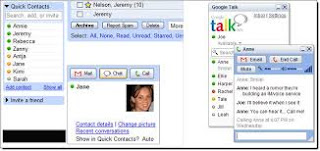
Overview about Multi Google Talk
1) Right click on the Google Talk shortcut
2) click on Properties
3) Go to Shortcut tab on Google Talk Properties window
4) On the Target textbox, add in the /nomutex to the end of the line so
that it looks like below (or you can simply copy and paste the below
syntax and replace the original)
“c:program filesgooglegoogle talkgoogletalk.exe” /nomutex
5) Click on OK

I didnt have to do anything after this and clicking on the shortcut
multiple times just gave me different Google talk window.
Alternative
To create a new shortcut for Google Talk
1) Right-click on the desktop or anywhere you want to place the GTalk
shortcut
2) Select New on the right click context menu
3) Then select Shortcut
4) Copy and paste the following line to the text box when prompted to type
the location of the item
“c:program filesgooglegoogle talkgoogletalk.exe” /nomutex
5) Click on Next
6) Give the shortcut a proper name such as Google Talk or Google
Talk Multiple or Google Talk Polygamy.
7) Click OK until you are done.

If you need any help then content With me thanks for Visiting.......
Remember me in prayers
Go to link Download

Saturday, April 29, 2017
Multi GPU SLI CrossFireX – Who What Why
Multi GPU SLI CrossFireX – Who What Why
If you’re not a dedicated PC gamer, chances are you haven’t been paying attention to the advancements in video card technology over the years. In a short time, video cards have gone from simple add-on cards with a single graphics processor, a tiny heat sink, and some RAM chips, to full-on computers in and of themselves. You may also not be aware that you can install more than one video card in a desktop PC so their graphics processing units (GPUs) work together to provide what’s known as “performance scaling.” In this week’s Tip, I’ll discuss some different multi-GPU solutions available, why you might want one, how can go about getting one, and why you might be using one before you know it.
 Desktop Solutions
Traditional multi-GPU solutions, ones that involve two physical add-in cards, are available from the big two video card developers, NVIDIA and AMD, with each using their own method of implementation. Generally, the two cards split the workload and render frames as a team to provide close to double the performance as a single GPU system. NVIDIA’s solution is called SLI, which stands for Scalable Link Interface, and AMD’s is called CrossFireX. To use either solution, you need at least two PCI Express x16 slots on your motherboard and a supported northbridge chipset. With this being the case, a multi-GPU setup is something you need to plan for before building a desktop system, it’s not something you can easily fall back on for an upgrade if you don’t already have an SLI/CrossFireX-ready motherboard. For an NVIDIA-based  multi-GPU system, you need two cards with identical GPUs. You can use cards from different manufacturers, but if you have a GeForce 9800GT, you need another GeForce 9800GT to go with it. CrossFireX allows for a little flexibility in its pairings, letting you to pair cards that are within the same subseries (e.g. HD 4870 will pair with HD 4850). Unfortunately, these traditional solutions are can be buggy and are not widely supported. That makes traditional multi-GPU solutions an expensive venture for something you might not even be able to fully utilize. Video cards can be expensive enough, buying two or more can be left to the bleeding edge enthusiasts.
multi-GPU system, you need two cards with identical GPUs. You can use cards from different manufacturers, but if you have a GeForce 9800GT, you need another GeForce 9800GT to go with it. CrossFireX allows for a little flexibility in its pairings, letting you to pair cards that are within the same subseries (e.g. HD 4870 will pair with HD 4850). Unfortunately, these traditional solutions are can be buggy and are not widely supported. That makes traditional multi-GPU solutions an expensive venture for something you might not even be able to fully utilize. Video cards can be expensive enough, buying two or more can be left to the bleeding edge enthusiasts.
Mobile Solutions
Luckily, multi-GPU solutions have evolved to overcome the hindrances of the traditional setup. Each solution offers a Hybrid variant (Hybrid SLI, Hybrid CrossFire) that is designed to incorporate the use of an integrated graphics processor already on the motherboard to handle light-duty graphics tasks along with the much better performance of a GeForce or Radeon GPU. These hybrid solutions are perfect for notebook systems that usually are already using low cost integrated graphics, providing extra graphics processing power when it’s needed. You can find these multi-GPU solutions in place in a number of notebooks already on the market, but, like traditional SLI, these hybrids are not without their drawbacks.

The first drawback is that powering two GPUs at all times when you’re only really using one can drain your battery quickly and the second is that you’ll often need to reboot your system when you enable or disable the extra GPU. This second drawback will probably be overcome by technologies like NVIDIA’s Optimus and Apple’s “automatic graphics switching” found in their current generation of MacBook Pros. These multi-GPU solutions will seamlessly switch between energy-efficient and performance modes without the need to reboot by powering down the unused GPU. This gives you the convenience of a virtually instant performance only when it’s needed, consuming less power, and translating to better battery life for mobile applications. This best-of-both-worlds solution is definitely something I am interested in and I expect to see solutions like this to become widely available in the near future.
The rest
 If seamless multi-GPU switching doesn’t take over, it will be due to the fact that integrated graphics are gradually being moved from the motherboard’s northbridge chip to the CPU itself. Technically, it can still be a multi-GPU solution, but the hardware is much different and the GPUs aren’t working together. Intel’s Core i3 and i5 CPUs already feature a graphics processor integrated onto the die and AMD is planning on releasing the Fusion series, their incorporation of Radeon technology with AMD CPU microarchitecture. As CPUs have hit a ceiling as far as clock speeds and moved to including more cores, you can expect GPUs to take a similar path. There have already been a few high-end video cards released with two GPUs stuck together, and it’s only a matter of time before they’re small enough to fit many GPU cores alongside the multi-core CPUs of today.
Go to link Download
Thursday, February 16, 2017
Multi Purpose Banners HTML5 D4 Google Web Designer Ad Templates download
Multi Purpose Banners HTML5 D4 Google Web Designer Ad Templates download
DESCRIPTION :
Edit Multi Purpose Banners HTML5 D4 Ads Template is a clean and unique design so far using the latest trendy material design for introductions company, business, promotions, marketing, make money online…
BANNERS FEATURES :
– 07 standard size
– Google Ads
– Layered by name
– Fully editable – all colors and text can be modified.
FONTS USE :
+ Google font
NOTE
All the images are display only, not included in the main download package. All links download image included in file download.
Need another template or logo, please contact me directly via e-mail form on my profile page.
Best Price| | Preview
DOWNLOAD Multi Purpose Banners HTML5 D4 - Google Web Designer (Ad Templates)
Go to link Download
Tuesday, October 4, 2016
Multi Email Notifier 3 6 1 Portable
Multi Email Notifier 3 6 1 Portable

Multi Email Notifier 3.6.1 Portable
| 11.1 MB
Multi Email Notifier is an easy-to-use software that automatically check multiple email accounts and alert you when there are new messages. AOL, Hotmail, Yahoo, Gmail, IMAP, POP3 and many other webmail address supported.
Following are some of the many features of Multi Email Notifier:
* Check multiple email accounts from same provider.
Do you have more than one AOL, Gmail, Hotmail, Live, Rocketmail, Yahoo, Y7Mail, YMail email accounts. No problem, Multi Email Notifier can notify you for as many web based email accounts as you like.
* Custom check interval for each account.
You can set custom interval for every email acccount to check for new email, ranging from 10 minutes to 24 hrs. This will let you focus more on work and improve efficiency by getting notified only during a particular hour of day.
* Access mail inbox directly through Multi Email Notifier.
Directly login into your inbox when you click on email notification wndow. Just like the way you do it in most of the instant messenger.
* View subject, sender and time of 10 latest emails.
Just want to see who sent you the last email or when? there is no need to go to the inbox. Multi Email Notifier will show you this information with one click.
* No need to install additional software.
Multi Email Notifier is the only software you need to check emails for Yahoo, Hotmail, Gmail, Live, AOL, Rocketmail, Y7Mail, YMail, IMAP or any other POP3 account. You do not have to install Instant Messenger / Outlook Express or any other email client just to check new mails.
* Get visual and sound notification.
You can get notified visually and through sound. You have an option to disable any or both of them. You can select the sound file of your choice, to be played for email notification. You can set the option for new email alert window to keep remaining open on the screen and do not disappear automatically.
* Enable or disable notification of new emails.
If you are doing something important and do not want to be distracted then all it takes is a click to disable Multi Email Notifier for the time being. These type of features make Multi Email Notifier a user friendly windows email checker
* Secure and optimized access to email servers.
All the communication between Multi Email Notifier and Mail Server is done on SSL (Secure Socket Layers). This provides you the best security available. We also use gzip compression to make the communication faster and reliable.
* No limit on number of email accounts to add.
Add as many email accounts you need to. There is no limit on number of email accounts you can get notified about.
* Robust security of data with strongest encryption.
Whatever data Multi Email Notifier use, is stored in encrypted format using Advanced Encryption Standard (AES) 256-bit. This is the same algorithm used by U.S government to protect classified documents. Read more about email security
* APOP support for POP3 email accounts.
Multi Email Notifier supports APOP (Authenticated Post Office Protocol) to be used to check mails on POP3 server.
* Fully compatible with Microsoft Windows 7
Multi Email Notifier is fully compliant with latest Windows 7 operating system. If right now you do not use Windows 7 but plan to do so in future then you do not have to worry about any compatibility issues with Multi Email Notifier.
* Backup/Restore email accounts
You can backup your email account software data and restore it in future.
--------------------------------------------------------
Downloads Link
Full Software | Click Here
-----------------------------------------------------------
Go to link Download
Subscribe to:
Posts (Atom)